The Web Weaver's Magical Loom
The end of the road for handwritten code

Overview
I remade my portfolio website and wrote ~5% of the code, max.
Is this what it feels like going from hand-weaving to owning a loom? The brick-laying aspect of programming is finally over!
My website now costs me half of what it used to, is editable at any time just by prompting, and I actually enjoyed working on it for once! TypeScript + AI is pretty damn nice. Portfolio here: sidnaik.io/
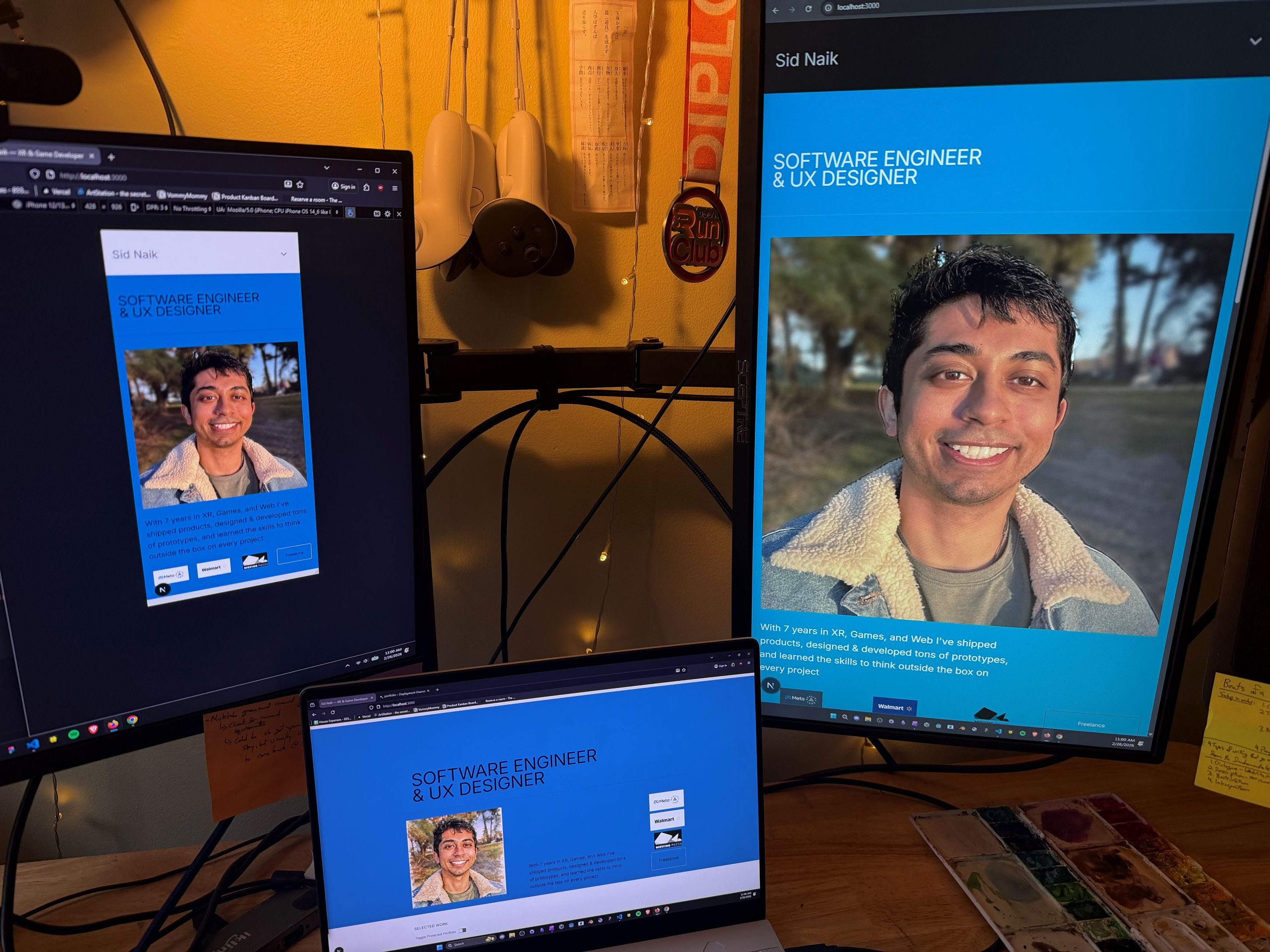
Below I write about some pretty amazing AI learnings I made while making the website, and fun implementation details. As usual open questions for myself at the end.
***Note: For what it’s worth I wrote all the words in this post, because it’s fun.
Sections
AI and { Design, Art, Engineering }
Learning while doing
Paper sketches as design input (code, UX, visual)
Prototyping and iteration
Advanced prompting
Fun details: Design
Source of Truth - Design Systems as code
Sketching my Portfolio
Designing my system
Fun details: Development
Performance: Autoplaying 10 videos on a mobile
Shaders - WebGL vs WebGPU
Writing Tests
Open Questions
AI and { Design, Art, Engineering }
This should get you started on using AI the way I’m currently using it. Probably skip to the Advanced Prompting subsection if you’re an engineer.
You learn AI the same way you learn anything else, in 1 of 2 ways:
Teach yourself, now: Just get a Claude subscription and ask “How can I make my own website”. Once you do a project or two, take a look at the resources in the Advanced Prompting subsection.
Learn within a system: Once workflows/tools finally make it to shelves, your workplace, or your school learn within the system.
Learning while doing
Designers, Engineers, Artists. You can literally learn while doing, the loom teaches you if you let it. I did it multiple times in this project - loading the page performantly, writing a web shader, using NextJS/TailWind at all, extending/editing a design system component library.
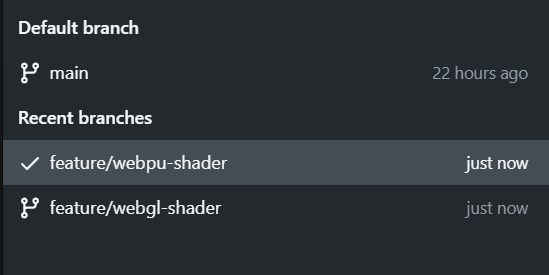
I used to make ‘prototype/name-here’ and ‘feature/name-here’ branches. Now I just use ‘feature/name-here’ branches. Which is weird and I don’t trust it just yet.
Paper sketches as design input (code, UX, visual)
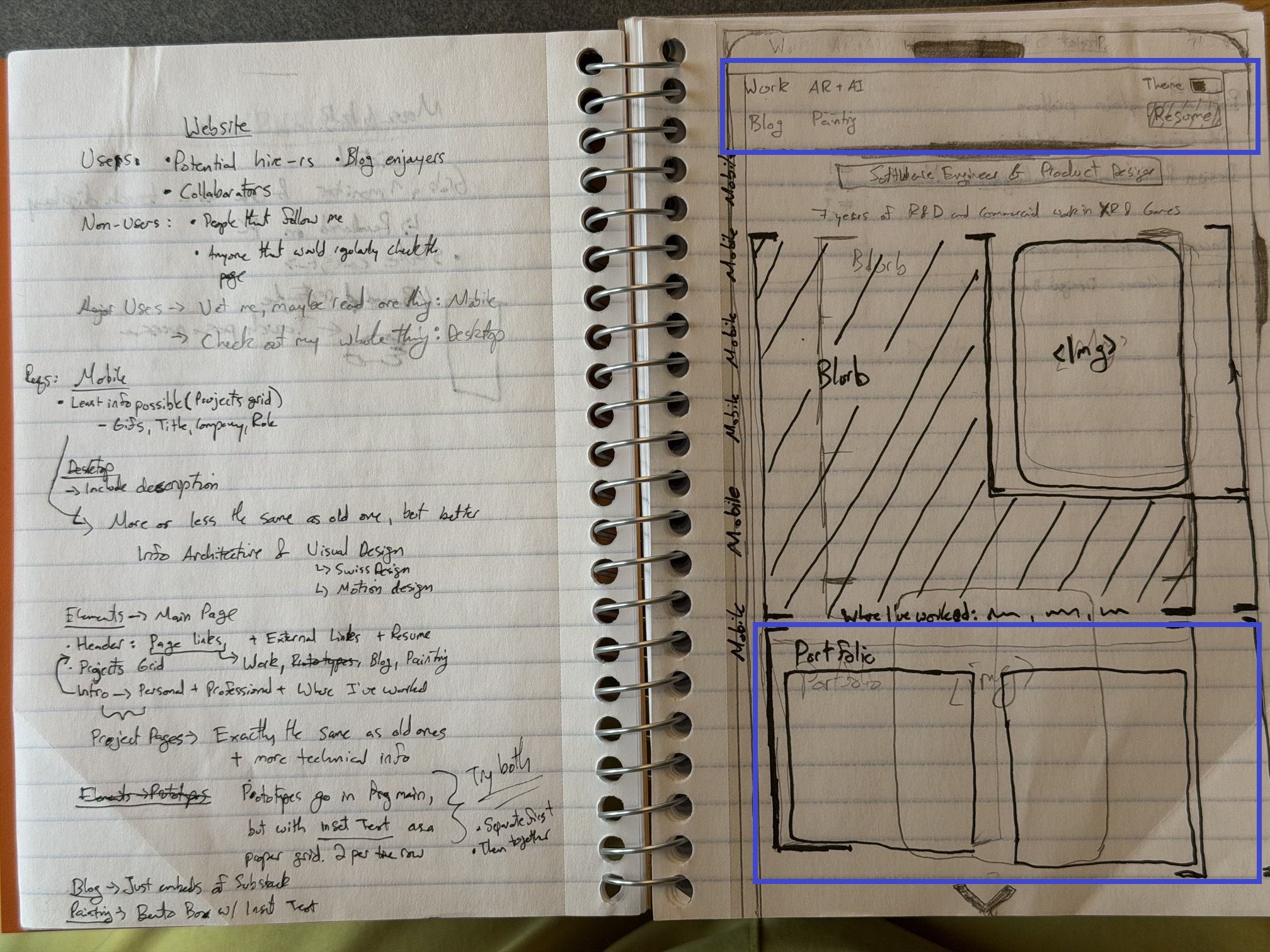
In one of the sections below I linked a couple ux/visual sketches. I submitted these to Claude as design input for code, UX, and visuals. It’s that simple…just kidding.
I first just told it to “make this”, which resulted in some technically working, but garbage code. Then I told it what individual boxes in the sketches mean, how to extend the UI components (code), and how to transition thru visual states. That gave me exactly what I wanted.
Note: “Prompting is a skill” makes me pause. Is a workflow a skill? Maybe. But I think the meaning gets lost. Fundamental engineering/design knowledge is what you need, and English. The prompts come from your knowledge of the two. For now at least.
Advanced prompting
I know nothing about AI tooling besides prompting Claude. However, a couple of my friends recently introduced me to Agentic AI and Ralph loops. I also learned about something called spec-driven development, which I believe is what my friends are generally also doing. There’s a wall here that’s worth head-bashing against, see you on the other side.
Designers/Artists/QA/etc, I found a somewhat more technical resource for you from Tomasso Nervegna here: Claude Code for Designers: A Practical Guide. Note, this is only practical after some AI practice or engineering knowledge.
Fun Details: Design
Source of Truth - Design Systems as Code
To me, the product is the source of truth.
In games/XR we make in-engine scenes that allow us to test whether and how our design is implemented: Visual development scenes to ensure the visual design is correct, interaction scenes to make sure the interactions feel right, etc. It’s in the experience or it’s not.
I searched, and learned web dev is a bit different. In some companies, design systems are duplicated in Figma and code, while in others one of the two is king. There are many reasons any of these configs can be valid, but what’s my path? I’ve never even made a web design system.
This is where Dolores’ Design System comes in. I met Dolores while searching for teammates at the SensAI Hackathon in San Francisco. She told me she wrote a web design system in code by herself, holy hell dude! While comparing myself to someone with more than double my years of experience is unhealthy, I do it anyway. It was both inspiring and jarring to see Dolores’ work bc of what it means about the rest of the industry. Roles are converging, when everyone can do more, what do teams look like in the future? For now lets put all that aside and talk portfolio UX & visual design:
Dolores' Swiss Design System Dolores’ LinkedIn
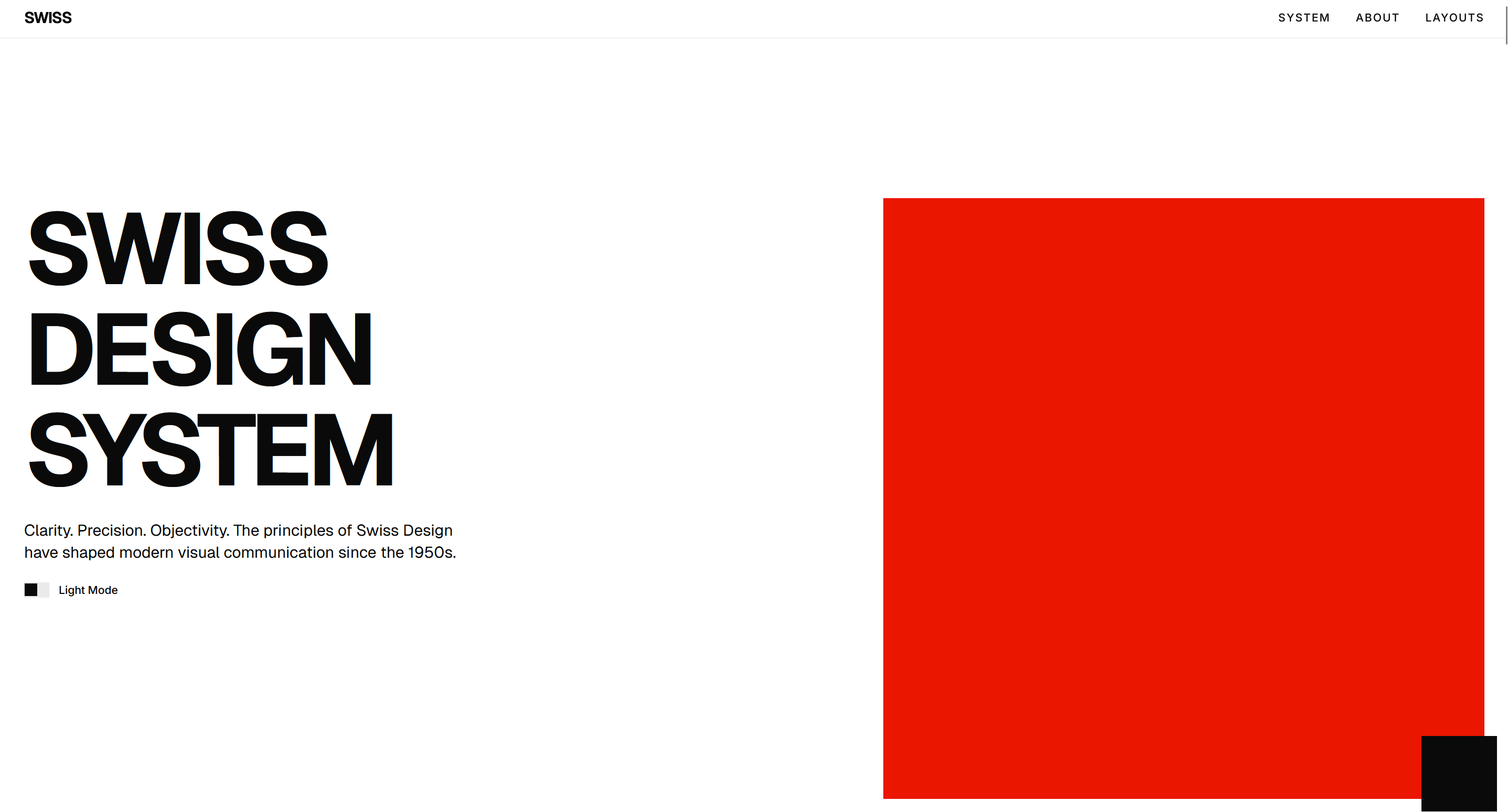
Swiss Design, also known as International Typographic Style, emerged in Switzerland in the 1950s. It emphasizes cleanliness, readability, and objectivity.
Sketching my Portfolio
Before making my Design System I need to know how people want to consume this thing. I’ve gotten a ton of feedback on my old portfolio so I’ll write some notes here:
Who’s my audience? Hiring managers and peers. What do each of them want?
Hiring Manager → Quickly watch/read thru some past work, get a good overall image of the candidate. These people have limited time so I don’t want beautiful 10-second animations, but I do still want a well-designed experience.
Peer —> Check out whatever’s cool, and potentially read everything. Mobile first, I bet 95% of you are reading this on the toilet or at your desk but still on your phone.
So, optimize for a 30-second viewing of my page but let interested people dig in.
Time to design. There’s way more paper iteration than this of course. And I spent a while understanding Swiss Design before and during my paper sketching iterations
Designing my System
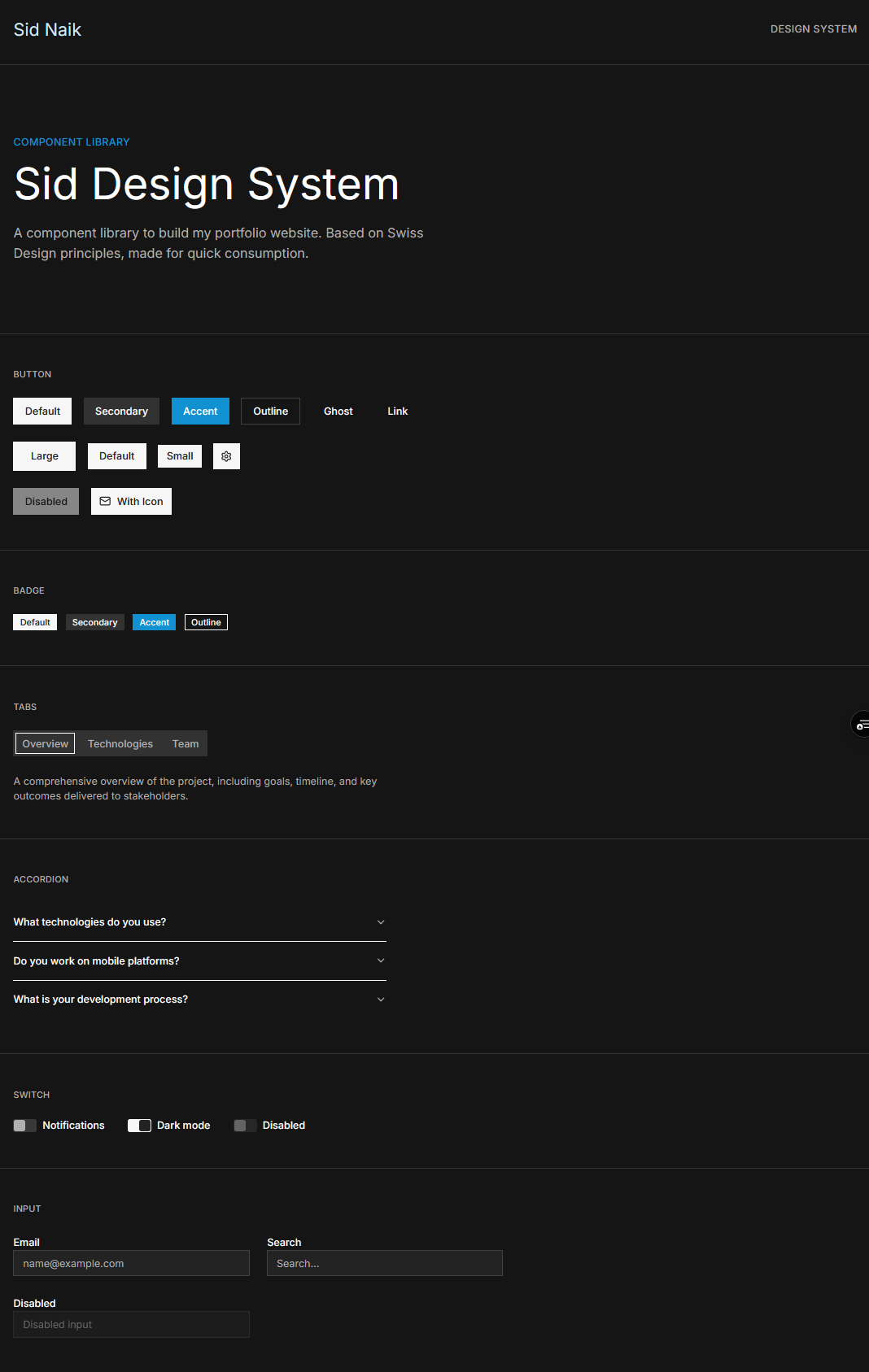
To make my design system I adapted Dolores’ to suit my needs. Here’s a list of what I kept/changed and why:
Dolores’ Swiss Design system (what I kept):
Grid-based design
Simple, clean, functional
Sans-serif font
Single accent for emphasis
Some asymmetry
Most of the UI components
My design system (what I changed):
Minimal photography? Nope
My audience yearns for video
Responsively Swiss Design
Softer dark and light colors
My audience stares at screens all day
More density of information
The spacing of information in Swiss design is great for what it is, but my writing is technical/design-oriented and mostly information and pretty pictures. Users want to gain information quickly!
Animations to further soften or subtly indicate interaction
hover, pressed interactions for some components
animations on load or on drop-down
scroll animations
Rounded edges because I like them and that’s good enough for some decisions
Changed/removed some components significantly
I needed variants and slightly different structure for my components during development (Project, Prototype, Blog, and Painting cards all inherit from base Card, for example)
The component library is built for a full on website, I don’t need as many components
Shaders
Mine’s a hell of a lot more minimalistic than Dolores’, I just want to make sure my components are visible in their usual environment, but don’t need to define a set of layouts and the many components that go into making a larger website.
Fun Details: Implementation
Performance: Autoplaying 10 videos on mobile
Problem:
I have a ton of images and mostly auto-playing videos on my website and boy does that take a while to load at full rez.
Multi-part solution:
The <vid/> tag allows you to specify different files to serve, so I created 720p and 480p versions of all my videos using ffmpeg and removed all audio. Videos are served based on on screen size.
The Project videos are loaded immediately, while the Prototype videos are lazy-loaded. Unless you’re flicking the screen, this makes for a really smooth experience!
Shaders - WebGL vs. WebGPU
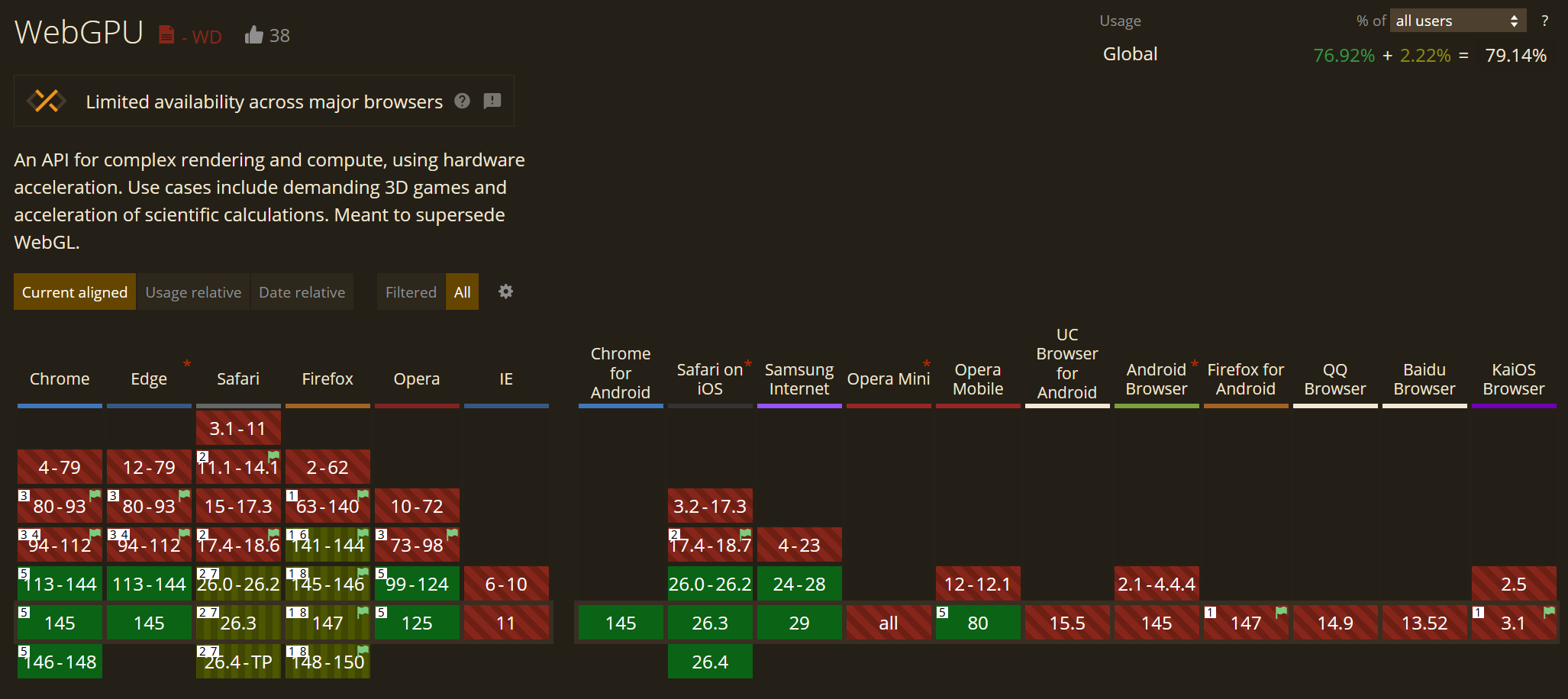
In my first blog post a year ago I was wondering about the future of WebGPU. Well there’s been a ton of progress, but WebGPU is currently behind a feature flag on MacOS Safari. This doesn’t work for me, WebGL it is for now.
I wanted a simple, fun little shader to shout out my painting page. So I wrote a glitch effect to swap between my professional picture and a generated watercolor version it.
This was just an excuse to update my mental landmarks on where WebGPU availability and tooling is really. Browser support is looking great, tooling for web (Babylon JS) seems awesome too, Unity’s had experimental support for a while now. Great!
Writing Tests
I had an interview recently and was asked to write a testing strategy as part of the interview problem. I’ve never written tests, but I’m a huge fan of Logging so maybe I got the general approach right.
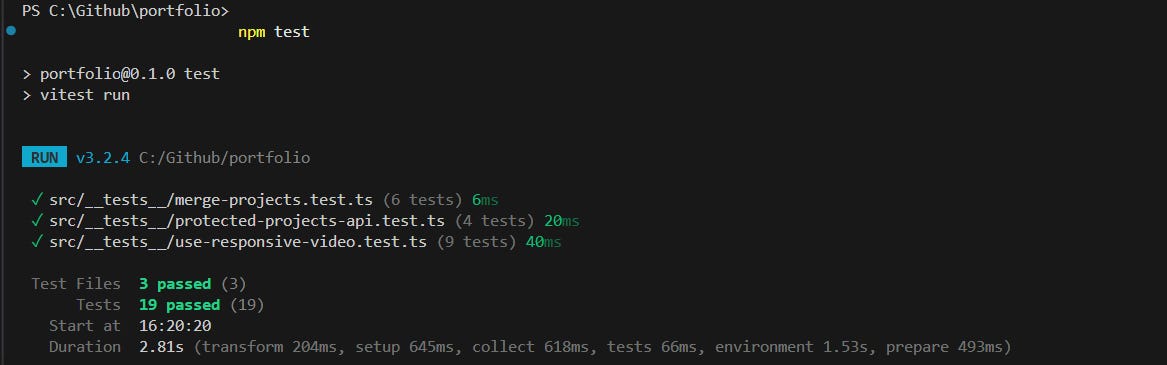
Anyway, this made me want to take a look at tests more, so I told Claude to evaluate the website and let me know what is worth having tests for. Also tell me what tests are.
Level up? I think so. The tests Claude made up are useful, simple as that. Run some tests before committing so I know if I broke something deep/usually hidden? Jesus Christ. I’m sure I would’ve ran into tests while writing a save/load system for a game or something, but may as well start using them now. One example of a useful test is testing video resolution served at different screen sizes. I don’t feel like testing that manually anyway and it’s something that could break for multiple reasons.
Open Questions
Does the (human) ability to learn become even more important now that the “brick-laying” part of product, design, and development are almost free?
Can we bypass game engines and create more interactive work with WebXR or even just WebGPU comfortably? If not, when?
If AI can generate tests, generate code, and contribute and adhere to design decisions, what does a senior engineer’s day actually look like in a year? 5 years?
As Eng/Design can span more of the dev cycle, how does this affect Product?
When the loom handles the weaving, what does the weaver become?
Why am I writing this?
I’m writing to provide what I wish I had while learning — thought process on design and engineering, opinions on tradeoffs, and acknowledging how often I’m wrong.
I believe everyone can learn anything, and the more breadth you get the more you’re able to solve problems. Depth is easy to access (still challenging to gain) today, YouTube University and AI are available to almost everyone. I hope to convince you over time, not just with this post. If you leave here clicking only one link, learn basic design thinking. If you’re an engineer I encourage you to learn fine art to dispel notions that art is any less difficult. If you’re an artist, I encourage you to believe you can learn to structure logic (programming) and describe the world objectively (math), and then go for it. Find joy and beauty in all of this. If you look for it, you will find it.
If you’d like to check out more of my work, visit my website or any of my socials @SidsCreativeTech
Love it.